India
India
Quick answer
PHP2Shell is a pair of serious flaws in PHP, the software behind most websites including WordPress. A fix was released on October 21, 2026. Sites updated to PHP 8.2.35, 8.3.36, 8.4.27, 8.5.12 or newer are protected; sites on PHP 8.1 or older, or left unmaintained, are at risk. Ask your developer or host to confirm your PHP version this week.
Key takeaways
- PHP2Shell is a flaw in PHP itself, so a well-built website can still be at risk.
- Attackers do not need a password; in the worst case they could take over the server.
- The fix came out on October 21, 2026. Updated sites are protected.
- Sites on PHP 8.1 or older got no regular fix and need an upgrade.
- One email to your developer or host is enough to find out where you stand.
Jump to section
If you’ve seen “PHP2Shell” in the news this week and felt a knot in your stomach, you’re not alone. Our inbox has been full of the same question from clients: “Is my website in danger, and what do I need to do?”
This guide answers that without the jargon. You don’t need to be technical to follow it. By the end you’ll know what PHP2Shell is, whether it affects you, and exactly what to ask your developer or hosting company.
What is PHP, and why should I care?
Think of your website as a restaurant. The pages your visitors see are the dining room. PHP is the kitchen: the part nobody sees, where every order is prepared.
Roughly three out of four websites on the internet use PHP. If your site is built on WordPress, WooCommerce, Joomla, Drupal or Laravel, it runs on PHP. Most business owners never think about it, because it normally works quietly in the background.
So what is PHP2Shell?
PHP2Shell is the nickname for two security flaws discovered in PHP itself. Their official IDs are CVE-2026-109618 and CVE-2026-109619, which is useful if your developer asks.
In plain terms: under certain conditions, a stranger on the internet could send specially crafted requests to a website and trick the “kitchen” into running their own instructions. The “Shell” in the name refers to a shell, the control panel of a server. Getting a shell means getting the keys.
Security experts rated these flaws 9.2 out of 10 for severity. That’s in the “fix it now” category.
Why this one is different
Most website hacks happen because of a weak password, an old plugin or a badly written contact form. Those are problems on your website. PHP2Shell is a problem underneath your website. That means:
- Your website can be well built and still be vulnerable. Good code doesn’t protect you here; only the update does.
- The attacker doesn’t need a login. They don’t need your password or any account on your site.
- It affects a very wide range of versions, reportedly PHP 5.4 all the way to 8.5. That covers sites built over more than a decade.
How worried should I be?
Honestly: concerned enough to act this week, not panicked. Here’s the balanced picture:
- The bad news. Details of the flaw leaked online before the fix was ready, and sample attack code has appeared publicly. Some large security companies have reported seeing attack attempts.
- The good news. The PHP team rushed out fixes on October 21, 2026, and the PHP Foundation said that, at the time of its statement, it had seen no evidence of attacks actually working. Many good hosting companies are already updating their servers.
- The real risk is for sites that are left alone: old sites nobody maintains, sites on cheap or unmanaged hosting, and sites running very old versions of PHP.
Am I affected? A quick self-check
| Your situation | What it means |
|---|---|
| Your host confirmed it updated PHP after October 21, 2026 | Probably fine |
| Your site runs PHP 8.2.35, 8.3.36, 8.4.27, 8.5.12 or newer | Probably fine |
| You don’t know who looks after your website’s server | Act now |
| Your site was built years ago and hasn’t been touched since | Act now |
| Your site runs PHP 8.1 or older | Act now: no regular fix for these versions |
| You run your own VPS or dedicated server and haven’t updated this week | Act now |
PHP 8.1 and older are no longer supported and did not get a regular fix. Staying on them is like keeping a lock the manufacturer has stopped making keys for.
What could happen if my site is attacked?
In the worst case, someone who gets control of your server could:
- Steal customer information such as names, emails, phone numbers and order details
- Change your website to show spam, fake products or scam pages
- Redirect your visitors to dangerous sites
- Hide malicious files that let them come back later, even after you think it’s cleaned
- Get your site flagged by Google, which can wipe out your search traffic overnight
We’ve cleaned up hacked sites before, and the hidden files are the painful part. They can sit quietly for weeks. Prevention is far cheaper than cleanup.
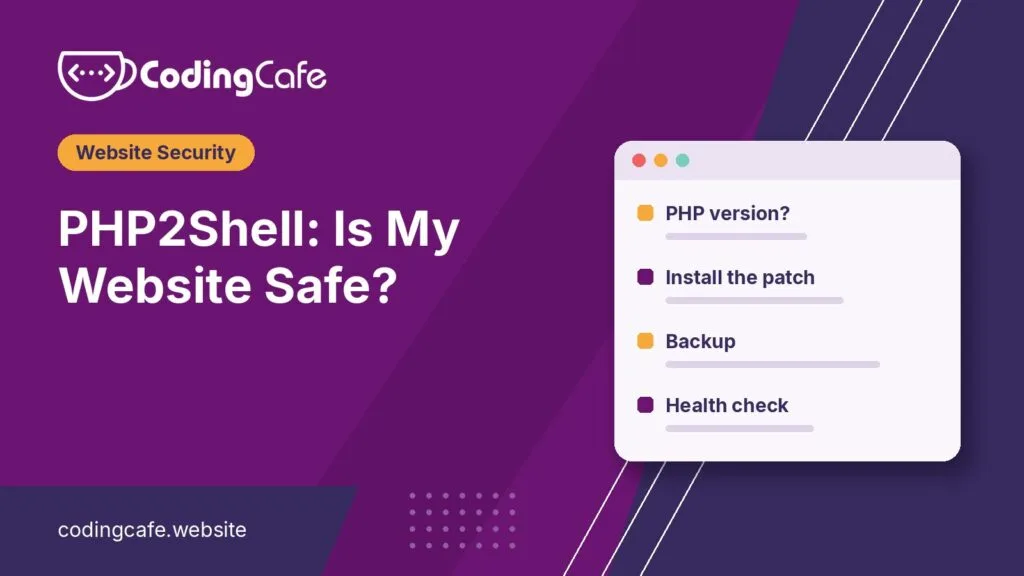
Your 5-step action plan
You don’t have to do the technical work yourself. You just need to make sure it gets done.
1. Send one email today
Send this to your web developer or hosting company:
“Hi, regarding the PHP2Shell vulnerability (CVE-2026-109618 and CVE-2026-109619): can you confirm which PHP version our website is running, and that it has been updated to a patched release? If we’re on PHP 8.1 or older, what’s the plan to upgrade?”
A good provider will reply within a day with a clear yes or a plan.
2. Upgrade if you’re on an old version
If your site is on PHP 8.1 or earlier, plan an upgrade to a supported version. This sometimes needs a developer to check that your plugins and theme still work, so it’s not always a one-click job, but it’s no longer optional.
3. Take a fresh backup
Ask for (or make) a full backup of your website and database, and store a copy somewhere other than your server. If anything goes wrong, a clean backup is your safety net.
4. Ask for a quick health check
If your site was out of date during the past few weeks, ask your developer to scan it for unfamiliar files, new admin users or unexpected changes. This catches problems before Google or your customers do.
5. Change important passwords
Once the update is done, change the passwords for your hosting account, website admin and database. It’s a good habit after any major security alert.
How to stay ahead of the next one
PHP2Shell won’t be the last alert like this. The businesses that stay safe usually have three things in place:
- Someone responsible for updates. Whether it’s a developer, an agency or a managed host, someone should own this.
- Regular, off-site backups. Daily is ideal for shops and busy sites.
- Monitoring. A simple security plugin or service that alerts you when files change unexpectedly.
Need a hand?
If you’re not sure where your website stands, we can check it for you. We’ll confirm your PHP version, apply the update or plan an upgrade, take a backup and scan for anything suspicious, all explained without the jargon. Our WordPress development team looks after sites like this every week.
Get in touch or message us on WhatsApp, and we’ll tell you within a day whether you need to do anything.
This article reflects information available on October 24, 2026. Security news moves quickly; check with your developer or host for the latest guidance.
Your PHP2Shell checklist
0 of 7 done
Frequently asked questions
Do I need to take my website offline because of PHP2Shell?
No. Updating PHP is usually done with little or no downtime. Taking the site offline is only needed if you see signs it has already been hacked.
I use WordPress and keep my plugins updated. Am I safe?
Not automatically. Plugin updates do not update PHP. PHP is managed at the server level, usually by your hosting company, so check with them.
My site is a simple brochure site with no shop. Does this matter?
Yes. Attackers do not only want payment data; they use hijacked sites to send spam, host scam pages and attack other sites. Small sites are often targeted because nobody is watching them.
How do I find out which PHP version my website uses?
In WordPress, go to Tools, then Site Health, then Info, then Server. The PHP version is listed there. Most hosting control panels also show it.
How can I tell if my website has already been hacked?
Watch for strange pages appearing in Google, unfamiliar admin users, your site redirecting to other sites, or a warning from your host or Google. If you notice any of these, contact a professional quickly.
Get a free PHP2Shell check for your website
Tell us what you are building and we will suggest the simplest path that fits your budget and timeline. No obligation.