India
India
Quick answer
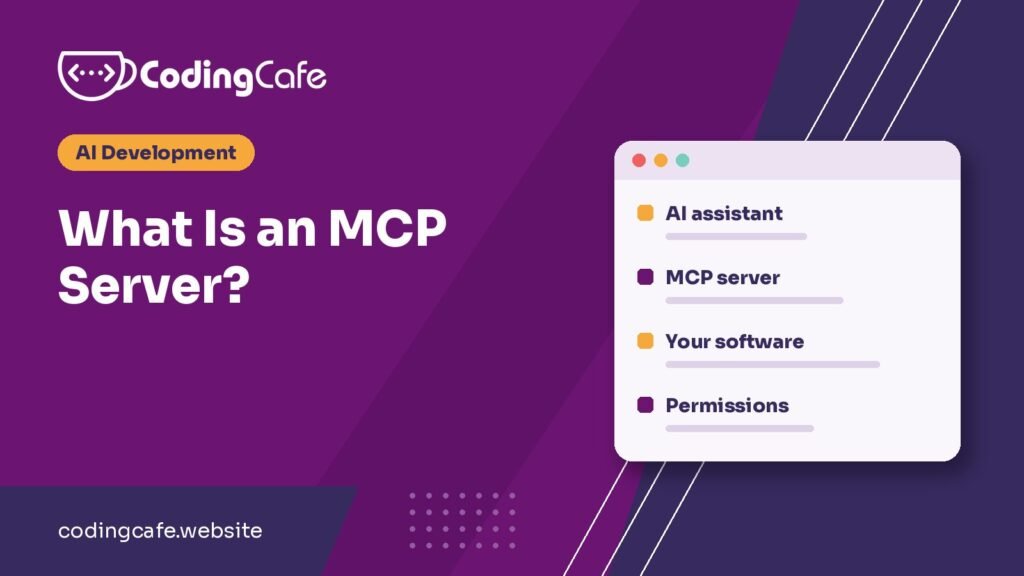
An MCP server is a small program that connects an AI assistant to a system such as a CRM or database, using the open Model Context Protocol. It tells the assistant which actions and data are available, then carries out requests within the permissions you set. One server can work with any assistant that supports MCP.
Key takeaways
- An MCP server lets an AI assistant work with your software instead of only talking about it.
- MCP is an open standard, now under the Linux Foundation, and supported by Claude and ChatGPT.
- It usually sits on top of your existing API rather than replacing it.
- Narrow permissions and human approval for risky actions matter more than any feature.
- Check for an official server first, and build a custom one for software only you have.
Jump to section
Someone on your team asks ChatGPT which customers haven’t paid this month. It replies with a tidy explanation of how to find overdue invoices, because it can’t see yours. So they log in to the accounting software, export a sheet, paste it into the chat, and ask again.
That export and paste is the problem an MCP server solves. It gives the assistant a proper, permissioned way to look for itself.
What is an MCP server?
An MCP server is a small program that sits in front of a system, such as a CRM, a database or a payment account. It tells an AI assistant what it’s allowed to do there, and carries out those actions when asked.
MCP stands for Model Context Protocol, an open standard for connecting AI applications to outside systems. The official documentation compares it to a USB-C port. It’s a fair comparison: before USB-C, every device needed its own cable, and before MCP, every AI app needed its own custom integration with every tool.
Anthropic released MCP in November 2024, then donated it in December 2025 to the Agentic AI Foundation under the Linux Foundation, which Anthropic co-founded with Block and OpenAI. That matters if you’re deciding whether to build on it, because you aren’t betting on one company’s private format. Claude and ChatGPT both support it, and so do developer tools like VS Code and Cursor.
What happens when you ask a question
Go back to the overdue invoices, and imagine your accounting system has an MCP server connected to your assistant. Here’s the sequence:
- When the assistant connects, it asks the server what it can do. The server replies with a list, including perhaps a tool called “find overdue invoices”, with a description of what it needs.
- You ask your question in ordinary words.
- The AI model reads the list and decides that tool fits.
- The assistant sends the request to the server. The server checks that your account is allowed to see this, then fetches the invoices.
- The results come back, and the assistant answers using your real numbers.
You’ll see three terms in technical guides. The host is the AI app you’re using. The client is the part inside it that holds the connection. The server is the program on the other end. Nothing more is needed to follow the rest of this article.
What a server can offer an assistant
The specification describes three main things a server can provide. Here’s what they might look like on a server for a CRM:
| Type | What it is | On a CRM, for example |
|---|---|---|
| Tools | Actions the assistant can run | Find a customer, add a note, create a follow-up task |
| Resources | Data it can read for context | A customer record, the list of deal stages |
| Prompts | Ready-made instructions for common jobs | “Prepare me for a call with this customer” |
Tools do most of the work in practice, and they’re also where the risk is, because a tool can change things.
Companies already running MCP servers
This has moved past developer experiments, and some of the clearest examples are Indian companies:
- Swiggy launched MCP integrations in January 2026, so people can order food, shop on Instamart and book Dineout tables from inside AI assistants.
- Razorpay publishes an MCP server for working with its payments platform from an assistant.
- Zerodha has one for its Kite trading platform, covering portfolios, market data and orders. Letting software near your trades is a good reason to read the permissions carefully.
- Sentry, the error tracking tool, offers one so developers can ask an assistant about bugs in their code.
MCP vs API: which one do you need?
People often ask this as if you have to pick one. Usually you don’t, because an MCP server typically sits on top of the API you already have.
An API is written for developers. Someone reads the documentation and writes code that calls it in a fixed way. An MCP server is written for AI assistants. It describes its tools in a standard format that the assistant can read and choose from while a conversation is happening, and the same server works with any assistant that supports MCP.
So if your own software needs to talk to another system in a predictable, repeatable way, a plain API call is simpler and cheaper. If you want people to reach that system through whichever assistant they prefer, and ask for things nobody planned in advance, that’s where MCP earns its place.
MCP vs RAG
This is another pair that gets compared, though they do different jobs. RAG (retrieval-augmented generation) finds the right passages in your documents and hands them to the model so it can answer from them. MCP is a way of connecting the assistant to outside systems, and it can read and act.
They also work well together. An MCP server can include a “search our documents” tool that uses RAG behind the scenes, alongside tools that update a record.
Local and remote servers
A local server runs on your own computer and is usually a developer’s tool, used for things like reading project files. A remote server runs online and serves many people, and it’s what a company would offer its team or customers. For a business, remote is usually the one you want, because you can manage sign-in and access in one place.
The risks nobody should skip
An MCP server gives an AI model a route into a real system, so treat it with the same care as giving a new employee a login. The official security guidance is written for developers, but a few points are worth knowing even if you never touch the code:
- Narrow permissions. A read-only tool that gets misused is a small problem. An account with access to everything is a much bigger one, and the guidance warns against broad, catch-all permissions.
- Be careful what you install. A local server is a program running on your machine with real access to it. The guidance describes malicious startup commands that can steal files, so stick to sources you trust.
- Treat what comes back as untrusted. An email or web page that an assistant reads can contain instructions aimed at the AI. This is called prompt injection, and it’s the reason a person should approve anything that sends, pays or deletes.
- Keep a log. If something goes wrong, you’ll want to see what was asked and what was done.
Does your business need one?
Probably not yet, if your team doesn’t use AI assistants day to day. Start there, because a server for tools nobody will use is money spent on a demo.
It starts to make sense in two situations. The first is internal: your staff already use an assistant and keep copying data in and out of the same system. The second is external: you sell software, and your customers would like to reach it from their assistants. If your competitors offer that and you don’t, it’ll start to show.
Before building anything, check whether the tool already has an official server, because many popular ones do. A custom server makes sense for software that was built for you, such as your own CRM or internal system, since nobody else is going to write one for it.
If you do need one, write down the five questions your team asks most often, and which of them would change a record. That short list is a good first scope. Tell us about it using the form below and we’ll send a price range, or read more about our AI development services. Wondering where else this could go? We’ve also collected some AI agent examples.
Before you build an MCP server
0 of 7 done
Frequently asked questions
What does MCP stand for?
MCP stands for Model Context Protocol. It is an open standard for connecting AI applications to outside tools and data, released by Anthropic in November 2024 and now under the Linux Foundation.
What is an MCP server in simple words?
It is a small program that gives an AI assistant a safe, standard way to use another system. The assistant can ask what is available, then request an action, and the server carries it out within the permissions you set.
Is an MCP server the same as an API?
No. An API is written for developers who code against it, while an MCP server describes its tools so an AI assistant can choose them during a conversation. An MCP server often calls an existing API behind the scenes.
What is the difference between RAG and MCP?
RAG finds relevant passages in your documents so a model can answer from them. MCP connects an assistant to outside systems so it can read data and take actions. An MCP server can use RAG for one of its tools.
Does ChatGPT support MCP?
Yes. The official MCP documentation lists ChatGPT and Claude among the AI assistants that support it, along with developer tools such as VS Code and Cursor.
Are MCP servers safe?
They can be, with care. Limit each server to the permissions it needs, install only from sources you trust, require a person to approve risky actions, and log every call.
Want your software to work with AI assistants?
Tell us what you are building and we will suggest the simplest path that fits your budget and timeline. No obligation.