 India

Quick answer
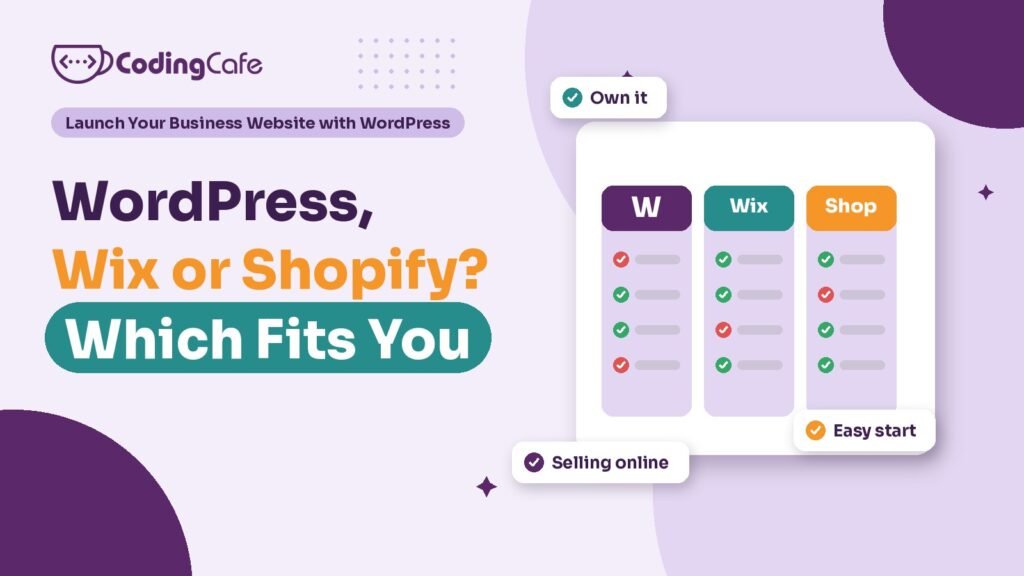
Choose WordPress when search, content and enquiries matter and you want to own the site. Choose Wix for a small, simple site nobody will maintain. Choose Shopify when selling products online is the main business and you want to run the store without managing servers. WooCommerce on WordPress suits shops needing more control.
Key takeaways
- WordPress is owned and portable; Wix and Shopify are rented platforms you cannot simply move.
- WordPress suits service businesses that rely on Google search and enquiries, but needs regular upkeep.
- Wix is reasonable for a simple site, such as a restaurant menu, that nobody will maintain.
- Shopify is often best when the store is the business; WooCommerce gives more control with more care.
- Compare three-year costs, including licences, apps and maintenance, not the first month.
This is a WordPress course, so you might expect this lesson to end with “choose WordPress”. Most of the time that is our advice. Not always. Picking a platform because a course or a developer prefers it is how businesses end up with a site that fights them every week.
So here is an honest comparison of the three platforms small businesses in India ask about most: WordPress, Wix and Shopify. What each one is good at, what it costs you in ways that do not show on the pricing page, and when each is the wrong choice.
What Is the Real Difference Between Them?
The features overlap more every year. The difference that matters is who owns and runs the site.
Put simply, WordPress is like owning a shop building. Wix and Shopify are like renting space in a well-run mall. Both are sensible. They suit different owners.
When Is WordPress the Best Choice?
WordPress fits best when the website is mainly there to be found on Google and bring in enquiries, which describes most service businesses.
- You want control over SEO: page titles, descriptions, schema, URL structure and speed, with a plugin like Rank Math doing the heavy lifting.
- You will publish content: service pages, area pages, a blog. WordPress started as a publishing tool and is still very good at it.
- You need it to connect to other things: a CRM, WhatsApp, booking tools, payment gateways. There is a plugin or a developer for almost every connection.
- You want to own it: if you fall out with your host or developer, you take the whole site with you.
The trade-off is upkeep. A WordPress site that nobody updates gets slow and, eventually, hacked. Module 4 and Module 5 of this course exist because of that.
When Is Wix the Better Fit?
Take a small family restaurant in Kharar. Most of its orders come through the food delivery apps and walk-ins. It wants a site that shows the menu, opening hours, photos, a map and a button to call or reserve a table. Nobody on the team will ever log in to update plugins.
For that restaurant, Wix is a perfectly reasonable answer. The owner’s nephew can change the menu on a Sunday afternoon, there is nothing to patch, and the monthly plan covers hosting. The site will not compete hard on Google for wider searches, but the restaurant’s Google Business Profile matters far more for “restaurant near me” searches anyway, as Lesson 3.2 explains.
Where Wix starts to pinch is growth. If the restaurant later wants many location pages, detailed SEO control, a custom ordering system or to switch providers, it will find the walls. Moving off Wix usually means rebuilding the site, not exporting it.
When Does Shopify Beat WordPress?
Now take a gift shop in Panchkula that wants to sell its range online across India. Here the store is the point of the website. Products, sizes, stock, shipping rates, discount codes, order emails, returns.
Shopify is built exactly for this, and it handles the hard parts of checkout and order management without the owner touching a server. If the shop wants to run things itself, add products daily and never think about updates, Shopify is often the better choice.
The WordPress alternative is WooCommerce, a free plugin that turns WordPress into a shop. It gives you more control, no platform lock-in and usually lower running costs for a modest catalogue, but it needs more care: updates, performance tuning as the catalogue grows, and someone who knows WooCommerce when something breaks.
The honest test:
Selling products is the main business and you want to run it yourself: Shopify — Content and enquiries matter as much as sales, or you need unusual features: WooCommerce on WordPress
For Shopify, look closely at the monthly plan, the paid apps you will need, and the payment gateway and transaction charges that apply to Indian sellers before you commit. Those add up in ways the headline price does not show. Our e-commerce website cost guide breaks down the build side for both routes.
What Costs Do the Pricing Pages Not Show?
Each platform hides its real cost in a different place.
- WordPress: the software is free, but premium plugins and themes renew yearly, and maintenance takes time or money every month.
- Wix: the plan is the cost, forever. You never own the site, and the price can change at renewal.
- Shopify: the plan is the start. Apps for reviews, filters, invoices or subscriptions often carry their own monthly fees.
None of these is a reason to rule a platform out. They are reasons to compare three-year totals, the way the previous lesson showed, instead of the first month’s price.
Which Questions Settle the Choice?
If you are still unsure, answer these honestly. They usually decide it.
- Is selling products online the main job of the site? If yes, start by looking at Shopify and WooCommerce.
- Does Google search bring you customers, or could it? If yes, the SEO control of WordPress counts for a lot.
- Who will look after the site every month? If the honest answer is nobody, a hosted builder is safer than a neglected WordPress site.
- Does it need to connect to a CRM, booking system or custom tool? WordPress is usually the easiest to connect.
- How much does owning it matter to you? If moving freely between hosts and developers is important, WordPress is the only one of the three that allows it.
Most service businesses, from clinics to consultants to manufacturers, land on WordPress after these questions. Restaurants and tiny local shops with no one to maintain a site often land on a builder. Serious online stores split between Shopify and WooCommerce depending on how much they want to run themselves.
Pick the one that fits. Not the fashionable one.
If you have decided on WordPress and want a second opinion on the plan before building, you can ask us about WordPress development. If it turns out a shop is the real need, see our e-commerce solutions too.
What Comes Next?
That completes the planning module: a goal, a page list, the accounts, a budget and a platform. Module 2 starts building. The next lesson walks through the first hour after installing WordPress, the settings, users and clean-up that save you trouble for years.
Check what you learned
3 quick questions. Pick an answer and see why.
Which platform lets you move your whole site to a different host?
WordPress is software you install on hosting you choose. Wix and Shopify sites run only on their own platforms.
A small restaurant needs a menu, hours, a map and a call button, and nobody will update plugins. What fits best?
A simple site with no one to maintain it is safer on a hosted builder than as a neglected WordPress install.
What hidden cost should you check before choosing Shopify?
The plan is only the start. Apps and payment charges often add monthly costs the headline price does not show.
You finished Lesson 5
Module 2: Build It Right · Up next · Lesson 1 Installing WordPress the Right Way: The First Hour Read the next lesson Previous: Lesson 4 · How Much Does a WordPress Website Cost in India?
Planning a WordPress website?
We build fast, secure WordPress sites for businesses and look after them after launch. Tell us what the site must do and we will suggest the simplest build that fits.

