India

Quick answer
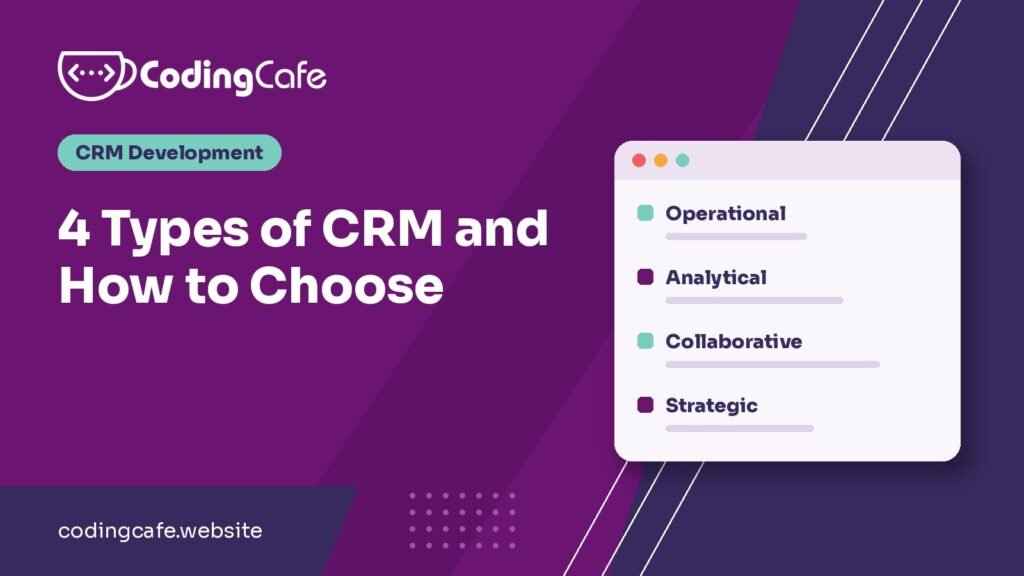
The four main types of CRM are operational, analytical, collaborative and strategic. Operational CRM runs daily sales, marketing and service work. Analytical CRM finds patterns in customer data. Collaborative CRM shares customer information across teams. Strategic CRM focuses the business on long-term customer value. Most small businesses should start with operational CRM.
Key takeaways
- Three types or four? Both are right: strategic CRM is a later addition to the classic three.
- Think of the types as jobs, not products. Most CRM software does more than one.
- Most small businesses should start with operational CRM, because everything else feeds on its data.
- Cloud, on-premise, ready-made and custom are separate choices about delivery and build.
Jump to section
Picture a Monday morning. Someone filled in your website form on Friday, and nobody has called them. Your sales rep thought support had it. Support has never heard of them. Meanwhile, the owner wants to know why last month’s ad spend brought in so little.
Those are three different problems, and a CRM can help with all of them. That’s really why people talk about “types of CRM” at all.
Look the topic up and you’ll walk into a small argument: some guides say there are three types, others say four. Both are fine. The classic list is operational, analytical and collaborative. Strategic CRM got added later, as more businesses started treating long-term customer value as a goal of its own.
Here’s the part that gets buried, though. You aren’t really choosing between them. Think of these as four jobs, not four products. Most CRM software today does some of each, so the useful question is which job your business needs done first.
(If you’re still at “what actually is a CRM?”, this short guide will catch you up.)
Here’s the quick version:
| Type | Its job | Who leans on it | Start here if |
|---|---|---|---|
| Operational | Runs daily sales, marketing and service work | Sales and support teams | Leads and follow-ups keep slipping |
| Analytical | Finds patterns in customer data | Owners and managers | You have data but few clear answers |
| Collaborative | Shares customer history across teams | Anyone who talks to customers | Customers keep repeating themselves |
| Strategic | Focuses the business on long-term value | Leadership | Repeat business is your main goal |
Operational CRM: gets the follow-ups done
This is what most people picture when they hear “CRM”. It’s the everyday workhorse: every lead in one list, a clear owner for each, and a reminder before anyone forgets to call.
Take a real estate agency. Enquiries arrive from the website, property portals and ads, often all in the same hour. Without a system, the agent who happens to see one first gets it, and the rest wait. With operational CRM, each lead is captured and assigned straight away, and you can follow it from first call to site visit to closing. We walk through that exact setup in CRM for real estate agencies.
It usually covers sales (pipelines, reminders, quotes), marketing (email or WhatsApp campaigns, lead lists) and service (tickets and customer history).
The catch? It’s only as good as what your team types into it. If people keep their real notes in WhatsApp, the CRM slowly turns into an expensive address book. That’s a people problem more than a software one, so we wrote a separate guide on getting your team to actually use the CRM.
Analytical CRM: tells you what’s going on
Operational CRM helps you do the work. Analytical CRM tells you whether that work is paying off.
Which lead source brings customers who actually pay, not just people who ask for a brochure? Which customers have quietly stopped buying? What is next quarter likely to look like?
Say you’re a distributor with two years of order history. A simple report shows you which dealers ordered every month last year and haven’t ordered in the last ten weeks. Your team can pick up the phone while those dealers are still worth saving, instead of finding out at year-end.
A word of caution: don’t start here if your records are a mess. Three months of half-filled data gives you very attractive charts that you shouldn’t trust. Begin with a few numbers you can check by hand, like the five reports every business owner should read.
Collaborative CRM: stops customers repeating themselves
We’ve all been on the other end of this. You explain your problem to one person, get transferred, and start again from the beginning.
Collaborative CRM fixes that by giving everyone the same customer record: calls, emails, messages, notes and who’s handling what.
It matters most when one customer passes through several hands. At an immigration consultancy, for example, one person might take the enquiry, another might collect documents, and a third might help after landing. The client shouldn’t have to tell their story three times, and with a shared record they don’t. Here’s how that journey can look.
One thing to settle early: permissions. Sharing is great until everyone can export your whole customer list, so decide who can see, edit and download what before you add the team.
Strategic CRM: more mindset than software
This one is the odd one out. You can’t really buy it. It’s a decision to care more about the customer you’ll still have in five years than about this month’s sale, and to use your CRM data to act on that.
So you start watching repeat purchases, retention and how much a customer is worth over time. Then you change things based on what you see. Suppose you notice that customers who get a check-in call after delivery tend to order again. A strategic business makes that call a standard step, rather than leaving it to whoever remembers.
It’s a good place to end up, and a hard place to begin. If new leads are still falling through the cracks, fix that first.
Other ways CRMs get grouped
While you’re comparing options, you’ll run into a few other labels. They’re about how a CRM is delivered or built, not what it does, but they can affect your budget more than anything above.
- Cloud or on-premise: cloud runs on the vendor’s servers for a subscription. On-premise runs on servers you control, so you get more control and more maintenance.
- Ready-made or custom: ready-made is quicker to start, and custom is built around your process. Custom fields and workflows shows how far you can bend a CRM to fit, and how much a CRM costs explains what you’re really paying for.
- Industry-specific: built for one field, such as real estate, education or healthcare.
So which one do you need?
If you run a small or mid-sized business, the honest answer is usually boring: start with operational, then add the rest as you outgrow what you have.
- Operational first. Get every lead in one place and make sure follow-ups happen. Everything else feeds on this data.
- Collaborative when more people get involved. You’ll feel the need once customers deal with more than one person or branch.
- Analytical once your data is clean. Now the reports start telling you the truth.
- Strategic when you’re ready to choose. Which customers and services deserve more of your time?
Want to see this in practice? We put together six real-life CRM examples from everyday businesses.
Not sure where you stand? Try this before you look at a single product. Go back through last week’s enquiries and count how many got a reply within a day. If that number makes you wince, you’ve found your starting point.
From there, map your sales process so you know where leads get stuck, then compare options in our guide to the best CRM software in India. And if nothing off the shelf fits the way your team sells, that’s when a custom CRM starts to make sense.
Choosing your CRM type
0 of 7 done
Need software that fits how your team works?
Pick what it should handle and leave a number or email. We reply with a price range within 24 business hours.
Frequently asked questions
How many types of CRM are there?
Most guides list three or four. The classic three are operational, analytical and collaborative. Many newer guides add strategic CRM as a fourth.
Which type of CRM is most common?
Operational CRM is what most businesses use day to day, because it handles leads, follow-ups, campaigns and support. Many products add analytical and collaborative features on top.
Which type of CRM is best for a small business?
Operational CRM is usually the best place to start. It gets leads in one place and makes sure follow-ups happen, which also creates the data that reporting needs later.
Can one CRM cover all the types?
Yes. Products such as Salesforce, HubSpot and Zoho CRM cover several of these jobs. Check how well each job is done in the plan you can afford, as features vary by plan.
What is the difference between operational and analytical CRM?
Operational CRM helps your team do daily work such as following up on leads. Analytical CRM studies the data from that work to show patterns, forecasts and what to change.
Is cloud CRM a type of CRM?
Cloud describes how a CRM is delivered, not what job it does. A cloud CRM can still be operational, analytical or collaborative.
Need a CRM that fits how your team sells?
Tell us what you are building and we will suggest the simplest path that fits your budget and timeline. No obligation.