 India

Quick answer
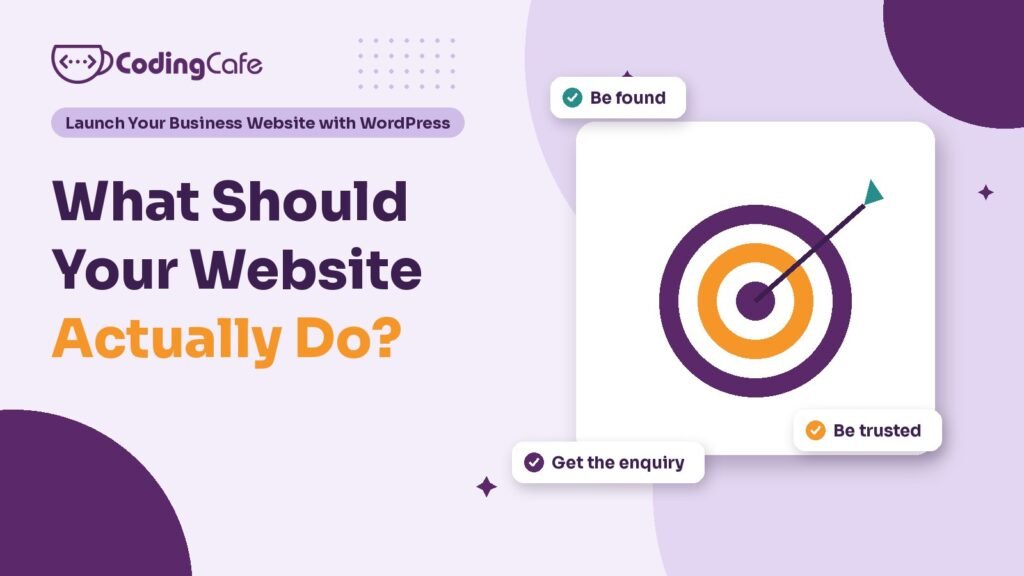
A business website has three jobs: be found when customers search, be trusted within seconds, and turn visits into enquiries. Before building, write one goal line naming the action you want, such as a call or WhatsApp booking, a monthly number, and who checks it. Every page and plugin should serve that goal.
Key takeaways
- Treat the website as a sales tool judged by enquiries, not as a brochure judged by looks.
- Every business website has three jobs in order: be found, be trusted, get the enquiry.
- Write a goal line: the action you want, a monthly number, and who checks it.
- Give each important page one main action that matches how your customers like to buy.
- Decide who answers website enquiries, and how fast, before the site goes live.
Most business websites are planned the wrong way round. The owner asks a designer for a home page, an about page, a services page and a contact page, picks some colours, and waits. A few weeks later the site goes live, looks fine, and brings in almost nothing.
The pages were never the problem. Nobody decided what the site was for.
This first lesson fixes that, before anyone opens WordPress, chooses a theme or spends a rupee.
Is a Website a Brochure or a Sales Tool?
A brochure website says who you are and what you do. It is pleasant to look at and easy to forget. Visitors read a little, close the tab and call whichever business they found next.
A sales website does a job. It answers the questions a customer has before they pick up the phone, shows them why to trust you, and makes the next step obvious. It is judged the way you would judge a salesperson: by the enquiries it brings in.
Both can look identical. The difference is in the decisions behind them.
For a small or medium business, a website almost always has to be a sales tool. You are paying for the domain, the hosting, the build and the upkeep. It should pay that back in customers.
What Are the Three Jobs Every Business Website Has?
Strip away the design talk and a business website has three jobs, in this order.
Every later lesson in this course serves one of those three jobs. Module 3 is about being found. Module 2 is mostly about being trusted and getting the enquiry. Modules 4 and 5 keep all three working after launch.
What Does “Working” Look Like for Your Business?
“More visitors” is not a goal. Visitors cost you hosting and bring you nothing until one of them contacts you.
A useful website goal names the action you want and a number you can check. Take a physiotherapy clinic in Mohali that gets most of its patients from referrals and wants the website to add more. Its goal might read:
Goal: 15 appointment requests a month from people searching for physiotherapy near Mohali — Main action: book by WhatsApp or call — Checked: first Monday of each month
That one line already makes most of the design decisions. The site must rank locally, so it needs location pages and a matching Google Business Profile. It must show WhatsApp and call buttons on every screen of a phone, because that is how patients book. And the clinic must count the requests, or it will never know whether the site is working.
Write your own goal line before reading on. Pick an action (call, form, WhatsApp, visit, order), a monthly number you would be happy with, and who checks it.
Why Should Each Page Have Only One Main Action?
When a page offers six things to click, visitors often click none of them. When it offers one clear next step, more of them take it.
So give every important page one main action and make it impossible to miss. Secondary links can stay, but they should look secondary.
- Home page: send people to the right service, or straight to the main action.
- Service pages: one service, its price range, proof that you do it well, and the main action.
- About page: why to trust you, ending with the main action.
- Blog posts: answer a real question, then point to the service it relates to.
For the clinic, the main action is “Book on WhatsApp” almost everywhere. For a manufacturer selling to dealers it might be “Ask for a price list”. For an immigration consultant it is usually “Check your eligibility”. The action follows from how your customers like to buy, not from what looks modern.
Who Is the Website Really For?
Owners tend to write the website for themselves: the company history, the mission, the awards. Customers arrive with a problem and a few questions, and they leave if those are not answered quickly.
Before planning any page, list the five questions customers ask most often on the phone. For the clinic they might be: do you treat back pain, do I need a doctor’s referral, how much is a session, do you have evening slots, where do I park. Each answer belongs on the site, in plain words, where the visitor will look for it.
Your staff already know these questions. Ask the person who answers the phone.
What Should You Decide Before Building Anything?
Five decisions, each a sentence or two, will save weeks of back-and-forth with whoever builds the site, including yourself.
- The goal line: action, monthly number, who checks it.
- The customer: who you most want enquiries from, and where they are.
- The questions: the five things every customer asks before buying.
- The proof: reviews, photos, past work and numbers you can show honestly.
- The owner: who in the business answers enquiries, and how fast.
The last one surprises people. A website that brings in ten enquiries a week is wasted if nobody replies until Friday. Decide who picks up website enquiries before the site goes live.
Where Does WordPress Fit In?
WordPress is the tool, not the plan. It powers a large share of the web because it is flexible, you own the site outright, and almost every developer knows it. That flexibility is also its risk: it is just as easy to build a slow, confusing site on WordPress as a fast, clear one.
With the goal decided, every WordPress choice later in this course has a test. Does this theme, plugin or page help the site be found, be trusted or get the enquiry? If not, leave it out. If you would rather hand the build to someone, the same test helps you judge their proposal, or you can ask us about WordPress development built around your goal.
What Comes Next?
You now have a goal line and the five decisions behind it. The next lesson turns them into a page list: which pages a small business website needs, which ones to skip, and how to plan service and city pages without creating thin copies of each other.
Check what you learned
3 quick questions. Pick an answer and see why.
Which of these is a useful website goal?
A good goal names the action, a number and a check. Visitors and looks only matter if they lead to enquiries.
What are the three jobs of a business website, in order?
A site nobody finds cannot build trust, and trust without a clear next step brings no enquiries.
Why decide who answers website enquiries before launch?
The site can bring in the enquiry, but a slow reply hands the customer to a competitor.
You finished Lesson 1
Up next · Lesson 2 Which Pages Does a Small Business Website Need? Read the next lesson
Planning a WordPress website?
We build fast, secure WordPress sites for businesses and look after them after launch. Tell us what the site must do and we will suggest the simplest build that fits.

