 India

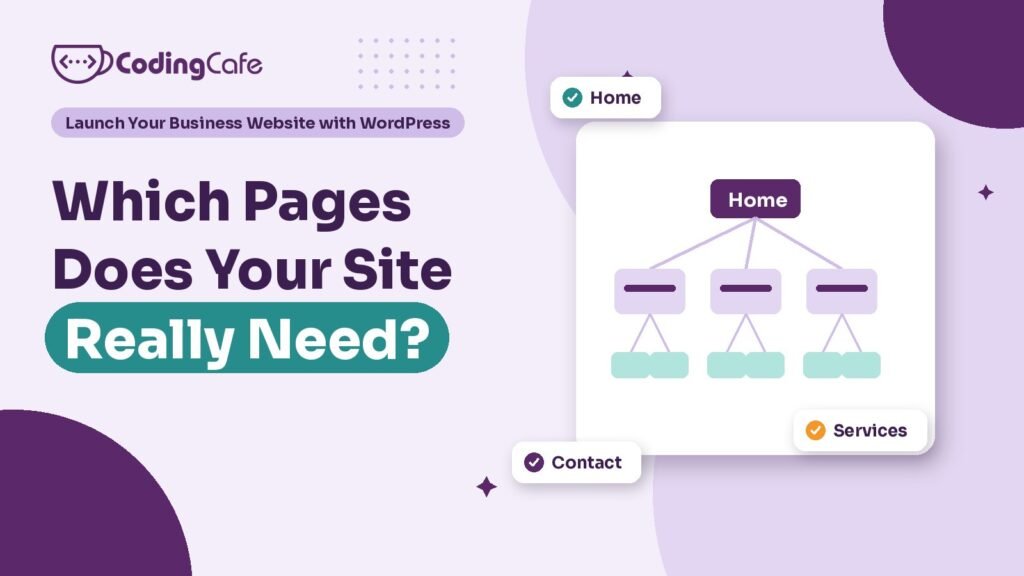
Quick answer
Most small business websites need a home page, one page per service, an about page, a contact page, a privacy policy and a thank-you page, plus proof such as past work, reviews and FAQs. Add city pages only where you can say something true about that place. Skip pages nobody searches for or will keep updated.
Key takeaways
- Give every service its own page; one combined Services page answers no search well.
- Add a city or area page only when it says something true of that place and nowhere else.
- Proof pages such as past work, reviews and FAQs do much of the convincing.
- Leave out pages nobody will search for or keep current, such as an empty blog.
- Plan each page with its visitor, search, main action, proof and writer before building.
Ask ten owners which pages their website needs and most will give the same list: Home, About, Services, Contact. Maybe a Gallery. That list is not wrong. It is just not a plan, because it says nothing about what each page has to do or who it is for.
In the previous lesson you wrote a goal line and listed the questions customers ask before they buy. This lesson turns those into a page list. It is short work, an hour with a notepad, and it decides more about the finished site than any theme ever will.
Which Pages Does Every Business Website Need?
Four pages are close to universal. What matters is the job each one does, so here they are with their jobs.
Add a privacy policy, because your forms collect names and phone numbers, and a thank-you page that people land on after sending a form. The thank-you page sounds trivial. It is what lets you count enquiries later, which we come back to in Module 5.
Why Does Each Service Need Its Own Page?
The most common mistake we see on small business sites is a single “Services” page with every service listed in a paragraph each.
It feels tidy. It costs you customers.
Someone searching for “property dealer for rental flats in Zirakpur” wants a page about rental flats in Zirakpur. A page that covers buying, selling, renting, commercial leasing and home loans in six hundred words gives Google no clear answer and gives the visitor no reason to stay. Each service deserves a page that answers the questions people ask about that service, shows proof, mentions a price or a price range where you can, and ends with one clear action.
Take a real estate agency in Zirakpur that helps people buy, sell and rent homes, and also handles shop and office leasing on VIP Road. Its service pages might be:
Buy a flat in Zirakpur — Sell your property — Rent a home — Commercial space on lease
Four pages, each with its own main action. The buyer page asks for a budget and preferred area. The seller page offers a free valuation call. The rental page pushes WhatsApp, because renters move fast and rarely fill in forms. The services overview page still exists, but only as a short menu that points to these four.
Should You Make a Page for Every City You Serve?
This is where good intentions go wrong. An owner hears that local pages help ranking, so the site grows twenty pages titled “Property Dealer in Zirakpur”, “Property Dealer in Mohali”, “Property Dealer in Kharar” and so on. Each page has the same text with the town name swapped.
Google calls these doorway pages and treats them as spam. Visitors notice too.
A city or area page earns its place only when you can say something on it that is true of that place and nowhere else. For the agency, a Dhakoli page could cover the kind of flats available there, typical buyers, nearby schools and roads, and the projects the team has actually sold in. A Peer Muchalla page would say different things. If you cannot write at least a few honest paragraphs that would not fit on any other area page, leave that area as a line on your main service page instead.
Start with the area where most of your business comes from. Add others only when you have something real to say about them.
What Counts as a Proof Page?
Proof pages show that you have done the work before. They do a lot of the convincing that owners expect the home page to do.
- Past work: projects, case studies or a portfolio, each with a sentence or two on what the customer needed and what you did.
- Reviews: real reviews, ideally pulled from your Google Business Profile, with names where customers agreed to it.
- FAQs: the questions your staff answer on the phone every day, answered properly.
- Team: who the customer will actually deal with, which matters a lot in services sold on trust.
For a real estate agency, the obvious proof page is property listings. Be careful here. Listings need a listing plugin or a custom setup, they need someone to add new properties every week, and they need sold or rented ones marked or removed. A listings page full of flats that went months ago does more harm than having none. If nobody on the team will keep it current, show a few recent deals as short stories on a “Recent Work” page instead, and send serious buyers to WhatsApp for what is available today.
Which Pages Can You Safely Skip?
Every page you add has to be written, kept accurate and maintained for years. So be ruthless at the start. These are the pages we most often suggest leaving out of a first launch:
- Mission and vision: fold a sentence of it into About. Nobody searches for it.
- A gallery with no captions: photos belong on the service and project pages where they prove something.
- A blog with no posts planned: an empty blog, or one with a single post from two years ago, makes the business look closed. Add it when you can publish regularly.
- “Coming soon” pages: if it is not ready, it is not in the menu.
- Careers, news, events: only if you genuinely hire often or have news to share.
A tight site with eight good pages beats a sprawling one with thirty thin ones, both for visitors and for search.
How Do You Turn the List Into a Page Plan?
A page list becomes a plan when every row answers the same few questions. Write one line per page with:
- Page name and address: for example “Rent a home”, /rent-a-home-zirakpur/.
- Who it is for: the one kind of visitor it serves.
- The search it should answer: the words that person types into Google.
- The main action: call, WhatsApp, form, valuation request.
- The proof it shows: reviews, past deals, photos.
- Who writes it, and by when.
The template below has these columns ready, with a row per page and the core pages already filled in as examples. Fill it in before you talk to a designer, or before you install anything yourself. You will find that some pages you planned have no clear visitor or search behind them. Those are the ones to cut.
Then sketch the menu. Five or six top-level items is plenty: usually Services (with the service pages under it), Work or Projects, About, maybe FAQs, and Contact as a button. If the menu needs more, the plan probably has too many pages.
A filled-in page plan also makes any quote you get much easier to compare. If you are hiring for WordPress development, send the plan with your enquiry and every agency is pricing the same site.
What Comes Next?
You have a goal and a page plan. Before any page can go online, the site needs an address and somewhere to live. The next lesson covers domain, hosting and business email: what to buy, which renewals catch people out, and why the accounts should always be in the business’s name.
Check what you learned
3 quick questions. Pick an answer and see why.
Why should each service have its own page?
A page about rental flats in Zirakpur matches a search for rental flats in Zirakpur. A page about everything matches nothing well.
When does a city or area page earn its place?
Copied pages with the town swapped are doorway pages. Real local detail is what makes an area page useful.
Which page is usually best left out of a first launch?
An empty or abandoned blog makes a business look inactive. Add it when you can publish regularly.
You finished Lesson 2
Up next · Lesson 3 Domain, Hosting and Email: What to Buy and What to Avoid Read the next lesson Previous: Lesson 1 · What Should Your Business Website Actually Do?
Planning a WordPress website?
We build fast, secure WordPress sites for businesses and look after them after launch. Tell us what the site must do and we will suggest the simplest build that fits.

