 India
India

Quick answer
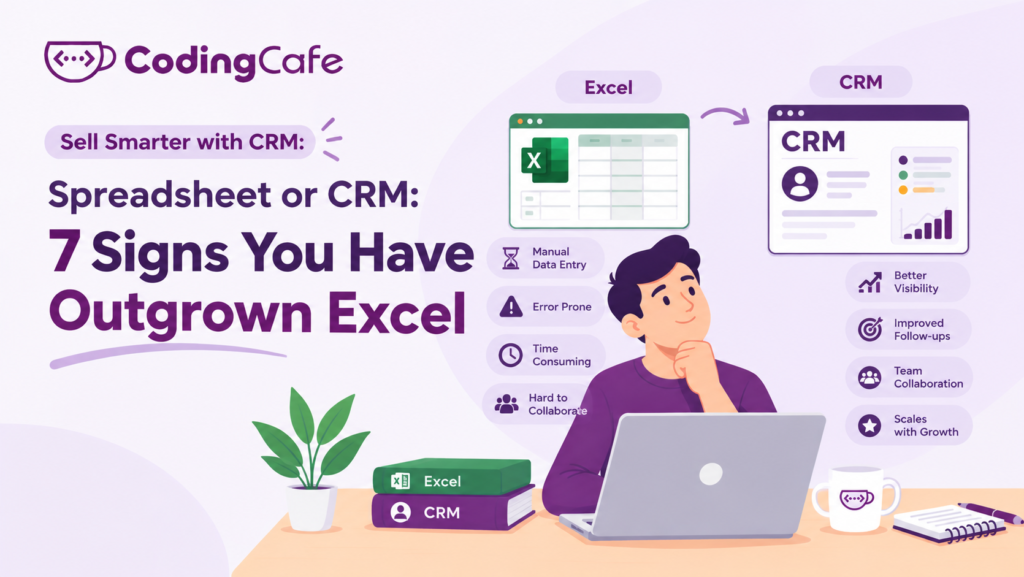
A business has outgrown spreadsheets for customers when there is more than one copy of the list, follow-ups have no owner, customer history lives in people's heads, enquiries arrive in several places, simple questions take an evening to answer, two people cannot work on it together, or the sheet has turned into a home-made CRM. Three or more of these signs means enquiries are already being lost.
Key takeaways
- Spreadsheets fail at a surprisingly small size: one owner, a few staff and enquiries from several channels is enough.
- The costly failures are silent: follow-ups nobody owns and history that leaves with the employee.
- Each sign has a five-minute test; three or more ticks means it is time to move.
- A spreadsheet stays useful for one-off analysis even after the customer list moves to a CRM.
Most businesses do not choose a spreadsheet for customers. It just happens. Someone starts a sheet for enquiries, a second one for quotes, and three years later the whole business runs on files called Leads_FINAL_v7.xlsx.
That is not a mistake. A spreadsheet is a fine place to start, and the previous lesson was honest that a CRM only pays back once there is enough happening to lose track of.
So how do you know you have reached that point?
Here are seven signs. Each comes with a test you can run on your own business this week. Count how many you tick.
Sign 1: You Have More Than One Version of the Truth
The owner has a sheet. The sales manager has a copy on her laptop. The newest executive keeps his leads in a phone note because nobody showed him the sheet. Each is correct about something and nobody is correct about everything.
Test: Ask two people in the business how many open enquiries there are right now. If the answers differ by more than a couple, you have this sign.
Sign 2: Nobody Owns the Follow-Up
A spreadsheet can hold a column called “Next step”. It cannot make the next step happen. There is no reminder, no overdue list, no way to see that the enquiry from the 4th has been sitting at “call back” for eleven days.
A manufacturing distributor we spoke to found twenty-three quotes in a sheet with no follow-up recorded at all. Some were four months old. A few of those customers had quietly bought elsewhere.
Test: Open your sheet and count the rows where the last contact is more than two weeks ago and the status is still open. If you cannot tell, that is the sign too.
Sign 3: The History Lives in Someone’s Head
A row in a spreadsheet tells you where a customer is. It rarely tells you how they got there: what they asked for on the first call, which objection came up, what price was mentioned, which colleague promised what.
That history is in the head and the phone of whoever handled it. When they are on leave, the customer repeats the whole story. When they resign, the history leaves with them.
Test: Pick a customer at random. Could a new colleague call them tomorrow and continue the conversation using only what is written down?
Sign 4: Enquiries Arrive in Five Places
Website form, WhatsApp, Instagram messages, the office phone, a walk-in. A spreadsheet only knows about the ones somebody remembered to type in, usually at the end of the day, usually not all of them.
An immigration consultant counted enquiries for one week from every channel and compared the total with the sheet. The sheet had about half.
Test: For one week, tally every enquiry from every channel on paper. Compare with what reached your sheet.
Sign 5: You Cannot Answer Simple Questions Quickly
How many enquiries came from the website last month? Which source brings customers who actually buy? How long does it take us to close a deal on average?
Every one of these is answerable from a spreadsheet, in theory. In practice it means an evening of filters and pivot tables, so the question does not get asked, so the decision gets made on feel.
Test: Time yourself answering “how many enquiries did we get last month, by source?” More than ten minutes is the sign.
Sign 6: Two People Cannot Work at the Same Time
The locked-file problem
Shared spreadsheets have improved, but the everyday reality in many offices is still “who has the file open?”, overwritten rows, and a row that was sorted by one person and now confuses everyone else.
The permissions problem
Everyone who can see the sheet can see all of it, change all of it and download all of it. A real estate agency learnt this when a departing executive took the full customer list to a competitor in one email.
Test: Can you give a new salesperson access to their own leads only? If the answer is “no, it is all or nothing”, tick this one.
Sign 7: You Have Started Building a CRM in Excel
Colour codes for status. A second tab for follow-ups. Conditional formatting that turns rows red after seven days. A macro someone’s cousin wrote. Dropdowns for stages.
If this sounds familiar, you already know what you need. You have been building it by hand, which is the most expensive way to get a CRM, paid for in the time of your most capable person.
Test: Count the tabs, colour rules and formulas in your customer sheet. More than a handful means you are maintaining software, not a list.
What a Spreadsheet Is Still Good For
Fairness matters here. A spreadsheet beats a CRM in a few situations.
- One person handles every customer and fewer than a few dozen are active at once.
- You need a one-off analysis, like comparing this year’s quotes to last year’s.
- You are not yet sure what your sales stages are. A sheet is a cheap place to find out, and the next module shows how.
Many businesses keep a spreadsheet for analysis long after the customer list has moved into a CRM. The two are not enemies.
Your Score
Add up the signs you ticked:
0 to 2 — Spreadsheet is fine for now. Re-check in six months.
3 to 4 — You are losing enquiries. Start mapping your process (Module 2).
5 to 7 — You are already running a CRM, badly, in Excel. Time to move.
Whatever the score, the point is not the tool. It is whether an enquiry that came in on Monday can be found, followed up and understood by anyone in the business on Friday. Spreadsheets stop doing that at a surprisingly small size.
The obvious next question is what moving will cost, and whether a ready-made CRM or one built around your process is the cheaper route. That is the next lesson.
Check what you learned
3 quick questions. Pick an answer and see why.
Which of these is the clearest sign a business has outgrown its spreadsheet?
A departing salesperson emails the whole customer sheet to a competitor. Which sign is this?
When is a spreadsheet still the right tool?
You finished Lesson 3
Up next · Lesson 4 How Much Does a CRM Cost, and What Do You Really Pay For? Read the next lesson Previous: Lesson 2 · What Can a CRM Do for Your Business?
Planning a CRM for your business?
We design and build CRMs around the way your team already works. Tell us about your process and we will suggest the simplest setup that fits.

