 India

Quick answer
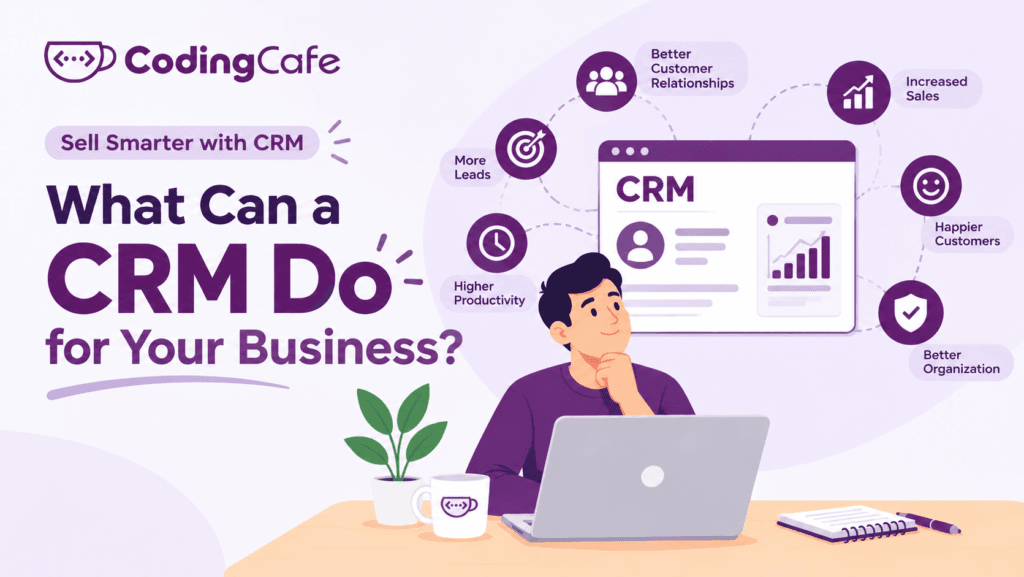
A CRM does six jobs for a business: it captures every enquiry, remembers each customer's history, reminds the team to follow up, hands work over when people change, shows what is working, and helps retain customers after the sale. The practical result is fewer lost enquiries, faster replies and an owner who can see the whole business on one screen.
Key takeaways
- A CRM does six essential jobs: capture, remember, remind, hand over, report and keep customers.
- Most lost sales are lost in silence; reminders and ownership are what a CRM adds over a spreadsheet.
- A CRM does not bring in enquiries or fix an unclear sales process; it makes sure what you have is not wasted.
- Team size changes how much is automated, not which jobs need doing.
In the first lesson we saw that a CRM keeps every customer’s information and history in one place. That answers what it is. The question most business owners actually ask is different.
What changes on a normal working day once a CRM is in place?
Let’s start with a day that goes wrong without one.
The Enquiry Nobody Followed Up
A real estate agency gets an enquiry on Monday evening from a couple looking for a two-bedroom flat near their office. The call comes to the owner’s phone. She is driving, so she says she will call back tomorrow.
Tuesday brings three site visits and a bank meeting. The call-back never happens. On Wednesday a sales executive sees a missed number in the office phone log, but has no idea what the couple wanted or whether anyone spoke to them. He does not call either, in case it is awkward.
By Friday the couple have booked a visit with another agency.
Nobody in the agency did anything wrong on purpose. The information simply lived in one person’s head and one phone’s call log. Nothing reminded anyone. Nothing showed the team that a warm enquiry was going cold.
That is the gap a CRM fills.
The Six Jobs a CRM Does
Strip away the features list and every CRM, simple or advanced, does six jobs for a business.
- Capture. Every enquiry, from the website, WhatsApp, a phone call or a walk-in, becomes a record the moment it arrives, with the source noted.
- Remember. Each conversation, quote, visit and promise is saved against the customer, so the history does not depend on who picked up the phone.
- Remind. Follow-ups become tasks with dates. The CRM reminds the team, so people do not have to remember.
- Hand over. When a colleague is on leave or leaves the company, the next person opens the record and carries on from where it stopped.
- Report. How many enquiries came in this month, where from, how many turned into customers and how long it took, without anyone building a spreadsheet.
- Keep customers. Renewals, repeat orders, service requests and referrals are tracked after the sale, which is where most of the profit sits.
Go back to the real estate story and run it through those six jobs. The Monday’s enquiry is captured with the note “two-bedroom, near Sector 62, budget 70 lakh”. A call-back task appears for Tuesday morning. When the owner is busy, the task is reassigned to the sales executive, who opens the record, sees exactly what the couple asked for and calls with two matching flats.
Same people, same week. Different result.
Notice that nothing clever happened. Nobody worked harder or got lucky. The enquiry was written down where everyone could see it, and the system did the remembering.
What This Looks Like in Practice
The best way to understand a CRM is to look at one customer record. A simple one for that enquiry might read:
Priya and Arjun Mehta — Enquiry — Source: phone — 2 BHK near Sector 62, budget 70 lakh — Next: call back Tue 10:00 (Rahul)
Everything a colleague needs to know is in one place: who they are, where they came from, what they want, what happens next and who owns it. A spreadsheet can hold the first half. It cannot cannot Rahul on Tuesday at ten, and it cannot show the owner that twelve other enquiries are also waiting.
What a CRM Does for Each Person in the Business
A CRM feels different depending on where you sit.
For the owner, it answers “how is business this month?” in one screen instead of a round of phone calls. It also means the business no longer depends on any one person’s memory, including the owner’s own.
For the sales team, it is a list of who to call today, with the full story of each person before the call begins. Fewer awkward “sorry, who were you speaking to?” moments.
For the office or support staff, it is where a customer request does not get lost in a WhatsApp group, and where they can see whether it was done.
For the customer, it is the feeling that the business remembers them. They do not repeat their story every time they call.
What a CRM Does Not Do
It is worth being honest here, because expecting too much is the fastest way to give up on a CRM.
- It does not bring in enquiries. Marketing does that. A CRM makes sure the enquiries you already pay for are not wasted.
- It does not fix a weak sales process. If nobody has agreed who calls a new lead and how fast, the CRM will record the silence faithfully.
- It does not work if the team does not type into it. A CRM with half the conversations missing is worse than a notebook, because people trust it and it is wrong.
Later lessons in this series deal with each of those: mapping your process, capturing enquiries automatically and getting the team to use the system.
Does Size Change Any of This?
Not really.
A two-person immigration consultancy and a forty-person manufacturing sales team need the same six jobs done. What changes is how much of it should be automatic and how many people need to see what. A small team can start with capture, remember and remind, and add reporting when there is enough to report on.
The trap is choosing a tool built for the forty-person team and then being surprised that two people will not fill in thirty fields per customer. The CRM has to fit the business, which is the whole point of building one around your process rather than bending your process around the software.
So, Do You Need One Yet?
If the real estate story felt familiar, probably yes.
But “probably” is not a good reason to spend money. The next lesson gives you seven concrete signs that a business has outgrown spreadsheets and WhatsApp, each with a quick test you can run on your own business this week.
Check what you learned
3 quick questions. Pick an answer and see why.
Which of these is NOT one of the six jobs a CRM does?
In the real estate example, what turned the lost enquiry into a sale?
A two-person consultancy wants a CRM. What should they start with?
You finished Lesson 2
Up next · Lesson 3 Spreadsheet or CRM: 7 Signs You Have Outgrown Excel Read the next lesson Previous: Lesson 1 · What Is a CRM? A Simple Guide for Businesses
Planning a CRM for your business?
We design and build CRMs around the way your team already works. Tell us about your process and we will suggest the simplest setup that fits.

