 India
India

Quick answer
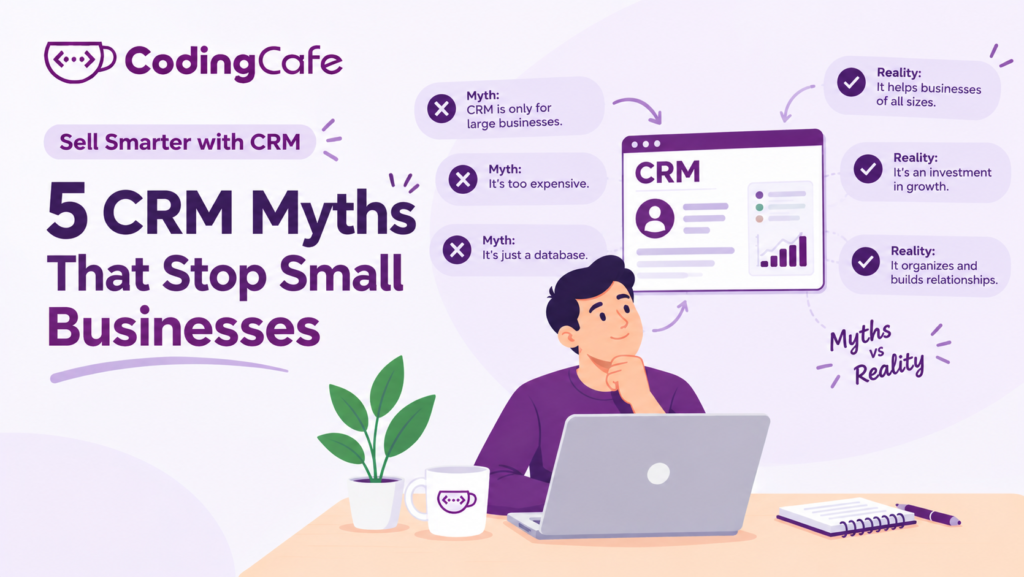
The five beliefs that stop small businesses adopting a CRM are that it is only for big companies, that the team will not use it, that WhatsApp is enough, that it is just a paid contact list, and that it slows salespeople down. Each comes from a CRM built for someone else. A CRM shaped around your own process, with few fields and the right automation, answers all five.
Key takeaways
- The smaller the business, the more each forgotten follow-up costs, so small businesses need a CRM more, not less.
- Teams reject badly designed CRMs, not CRMs; five required fields and a meeting run from the CRM screen fix most adoption problems.
- WhatsApp is a channel, not a record; the CRM should be where WhatsApp enquiries land.
- Every myth is a reaction to the wrong CRM, which is the case for one built around your process.
By now you know what a CRM is, what it does, when a spreadsheet stops being enough and roughly what it costs. If you still have not started, it is probably not because of the facts.
It is because of a belief.
Five beliefs come up again and again when small business owners explain why they have not moved. Each one has a good reason behind it, and each one is wrong in a specific way. This lesson takes them one at a time.
Myth 1: “A CRM Is for Big Companies”
Where it comes from: the CRMs you have heard of are the ones with the biggest advertising budgets, and their customer stories are about banks and airlines. The word itself sounds corporate.
What is actually true: a big company loses an enquiry and has ninety others that week. A three-person immigration consultancy loses an enquiry and has lost a tenth of its month. The smaller the business, the more each forgotten follow-up costs, and the fewer people there are to remember things.
The six jobs a CRM does do not scale down. They are the same at two users as at two hundred. Only the amount of automation changes.
Small businesses need a CRM more, not less.
Myth 2: “My Team Will Never Use It”
Where it comes from: experience. Many owners have bought a tool before, watched the team ignore it for three months and quietly stopped paying. The fear is earned.
What is actually true: teams do not reject CRMs. They reject CRMs that ask for thirty fields per customer, that nobody checks, and that make their day longer without making it easier.
A real estate agency we know had tried twice. The third time, the CRM had five required fields, new enquiries were assigned automatically, and the Monday meeting was run from the CRM screen instead of from a notebook. Within a month the team were adding leads themselves, because an enquiry that was not in the CRM did not count.
Adoption is a design and habit problem, not a people problem. Module 2 has a whole lesson on it.
Myth 3: “We Manage Fine on WhatsApp”
Where it comes from: WhatsApp is genuinely good at the first conversation. Customers like it, replies are fast, and it is free. For a very small business it can feel like the whole system.
What is actually true: WhatsApp is a channel, not a record. Try answering these from your chats:
- How many enquiries came in last month, and how many became customers?
- Which enquiries have had no reply for more than three days?
- What did your colleague promise the customer who messaged her, not you?
- What happens to all of it when the phone is lost or the employee leaves?
A manufacturer’s sales head left with a phone holding two years of dealer conversations. Nothing was backed up anywhere the company could reach. That is the cost of “fine on WhatsApp”.
The answer is not to stop using WhatsApp. It is to make the CRM the place where WhatsApp enquiries land, which is exactly what a modern CRM does.
Myth 4: “It Is Just a Contact List With a Price Tag”
Where it comes from: the first screen of most CRMs is a list of names, so that is what people remember. And the cheapest tier of many products really is little more than that.
What is actually true: the list is the least valuable part. Put a contact list and a CRM side by side:
Contact list: Sunita Rao — 98XXXXXX21 — sunita@example.com
CRM: Sunita Rao — Enquiry from Instagram, 14 Oct — wants 2-year PR pathway for Canada — eligibility call done, documents list sent — Next: chase IELTS result on 28 Oct (Meera) — stage: Documents
The second line is what lets a colleague take over, what tells the owner where the month stands, and what makes the follow-up happen on the 28th whether or not Meera remembers. The names are the same. Everything that makes money is in the rest.
Myth 5: “It Will Slow Down My Salespeople”
Where it comes from: a badly set-up CRM does exactly this. Typing notes after every call feels like admin, and good salespeople hate admin. Owners who have seen it happen are right to worry.
What is actually true: count what a salesperson does without a CRM. Scrolling chats to find what was said. Asking a colleague. Re-asking the customer. Forgetting the call-back and losing the deal, then starting again with a new lead. That is the slow version.
A well-designed CRM gives a salesperson a list of today’s calls, the full story before each one, and a one-line note afterwards. It removes the searching and the re-asking. The ten seconds of typing buy back the ten minutes of hunting.
If a CRM is slowing your team down, the CRM is set up wrong, not the idea.
What the Five Myths Have in Common
Look at them together. Big companies, reluctant teams, WhatsApp, contact lists, slow salespeople. Every one is a reaction to a CRM that was built for someone else: the wrong size, the wrong fields, the wrong amount of effort for the business using it.
None of them is a reason not to have a CRM. All of them are reasons to have the right one, shaped around how your business already works, with as few fields and as much automation as your team actually needs. That is the whole argument for building one around your process rather than renting one built around someone else’s.
End of Module 1
You now have the foundations: what a CRM is, the six jobs it does, the seven signs you have outgrown spreadsheets, what it costs, and why the usual objections do not hold.
Module 2 is practical. Before you pick or build anything, you will map your sales process, decide what the CRM should know about each customer, work out how enquiries get in without extra typing, set follow-up rules, and get the team using it. Each lesson leaves you with something written down that you can hand to any CRM vendor or builder.
Start with your sales stages.
Check what you learned
3 quick questions. Pick an answer and see why.
Why does a small business arguably need a CRM more than a large one?
A team ignored the last CRM the owner bought. What is the most likely cause?
What is wrong with "we manage fine on WhatsApp"?
You finished Lesson 5
Module 2: Setting Up Your First CRM · Up next · Lesson 1 Map Your Sales Process Before You Pick a CRM Read the next lesson Previous: Lesson 4 · How Much Does a CRM Cost, and What Do You Really Pay For?
Planning a CRM for your business?
We design and build CRMs around the way your team already works. Tell us about your process and we will suggest the simplest setup that fits.

